Team-Based Billing and Team Migration
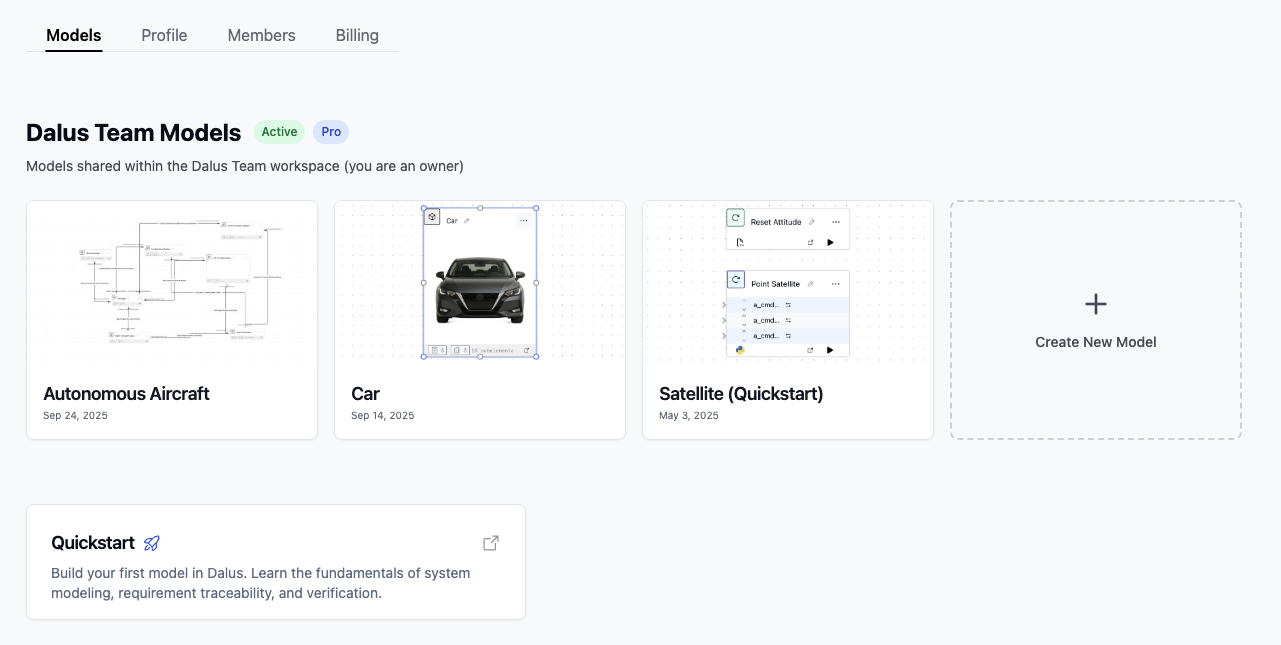
Subscription plans and billing are now organized by team. Team members' access levels are managed at the team level and subscription pricing is updated on a per editor basis. For example, a team with 1 Owner, 1 Admin, 1 Editor, and 1 Viewer will be charged for 3 editor seats.
You may still invite external collaborators to specific models as Viewers.
How to use it:
- Go to your Dashboard
- From the Dashboard, find the list of teams you belong to in the Left Sidebar and click on a team. This will take you to the team's Models page.
- Go to the team's Profile page to change the team name, Members page to manage team members, and Billing page to manage your subscription.
Quick permissions overview:
- Admins and Owners can manage models, team members and billing
- Editors can view, edit, and create models but cannot delete them
- Viewers can only view models
Copilot Context & Web Search
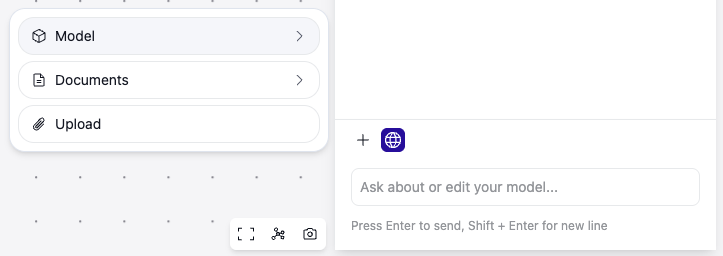
Attach documents or model elements to the Copilot, or enable web search, to ground responses.
How to use it:
- To toggle web search, toggle the Globe button in the chat input at the bottom of the Right Sidebar while in the Copilot view
- Attach context to the Copilot by clicking the Plus button.
- Select Model to pick any model element
- Select Documents to attach a file from the Documents Hub
- Or Select Upload to attach a file from your computer
Improvements
- Requirement table column resizing for better layout control
- Lower overhead for feature flags to improve performance
- More reliable Copilot message streaming
Fixes
- Team migration robustness and invite flows for external collaborators
- Requirements import dialog usability improvements